

Flock includes an SMTP server that catches every email your apps send. Nothing is delivered to real inboxes, so you can safely test password resets, notifications and newsletters.
Configuring Laravel
MAIL_MAILER=smtp
MAIL_HOST=127.0.0.1
MAIL_PORT=2525
MAIL_USERNAME="${APP_NAME}"
MAIL_PASSWORD=null
Settings → Mail shows the same lines under Environment Variables, with a copy button.
The catcher accepts any credentials. The username picks the inbox, so with MAIL_USERNAME="${APP_NAME}" every app gets its own inbox and messages from different projects don't mix.
Messages up to 25 MB are accepted, attachments included.
Reading mail
Click Mail in the Flock panel, or Open Mail in Settings → Mail. On Windows, it's also in the tray icon's right-click menu.
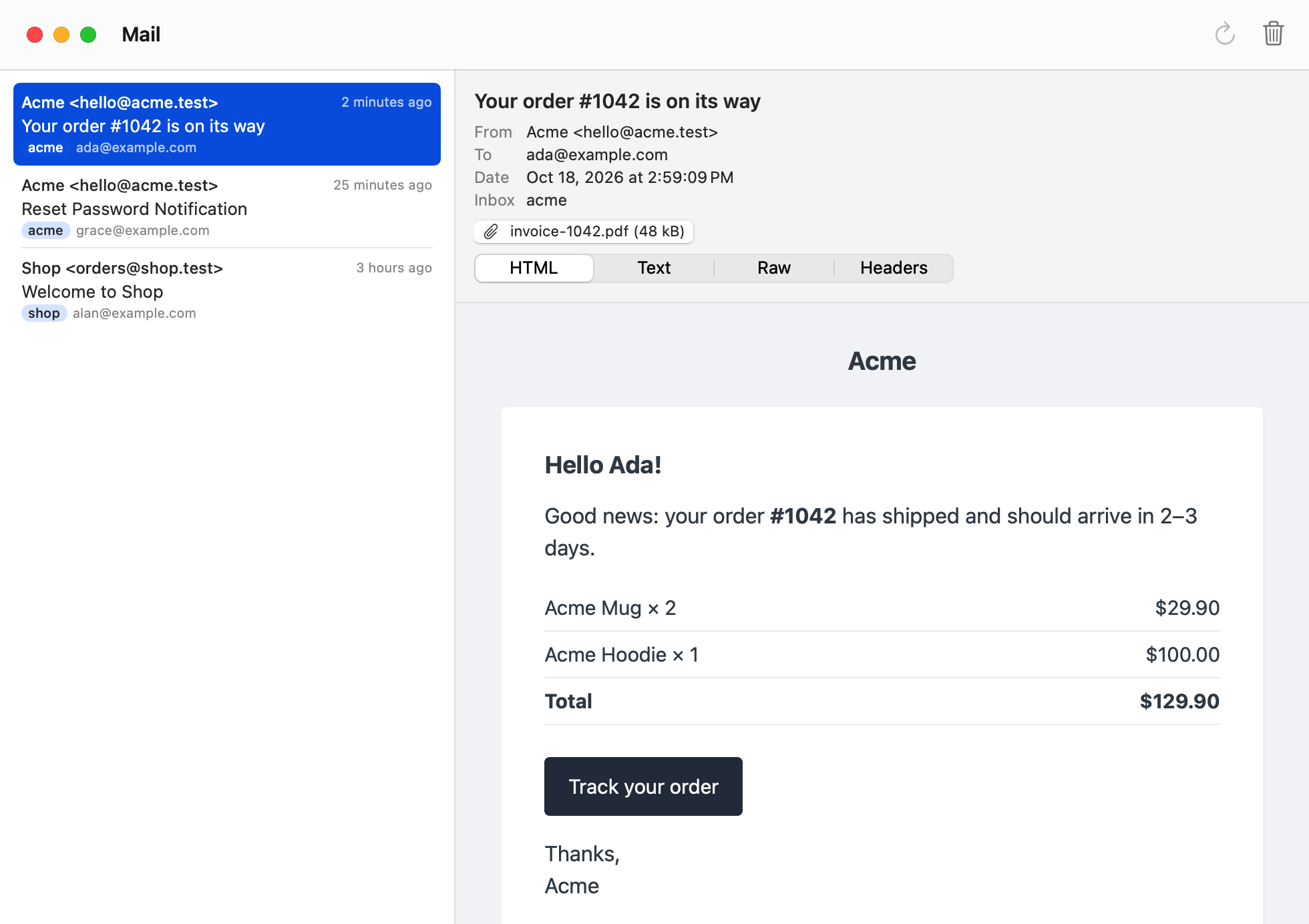
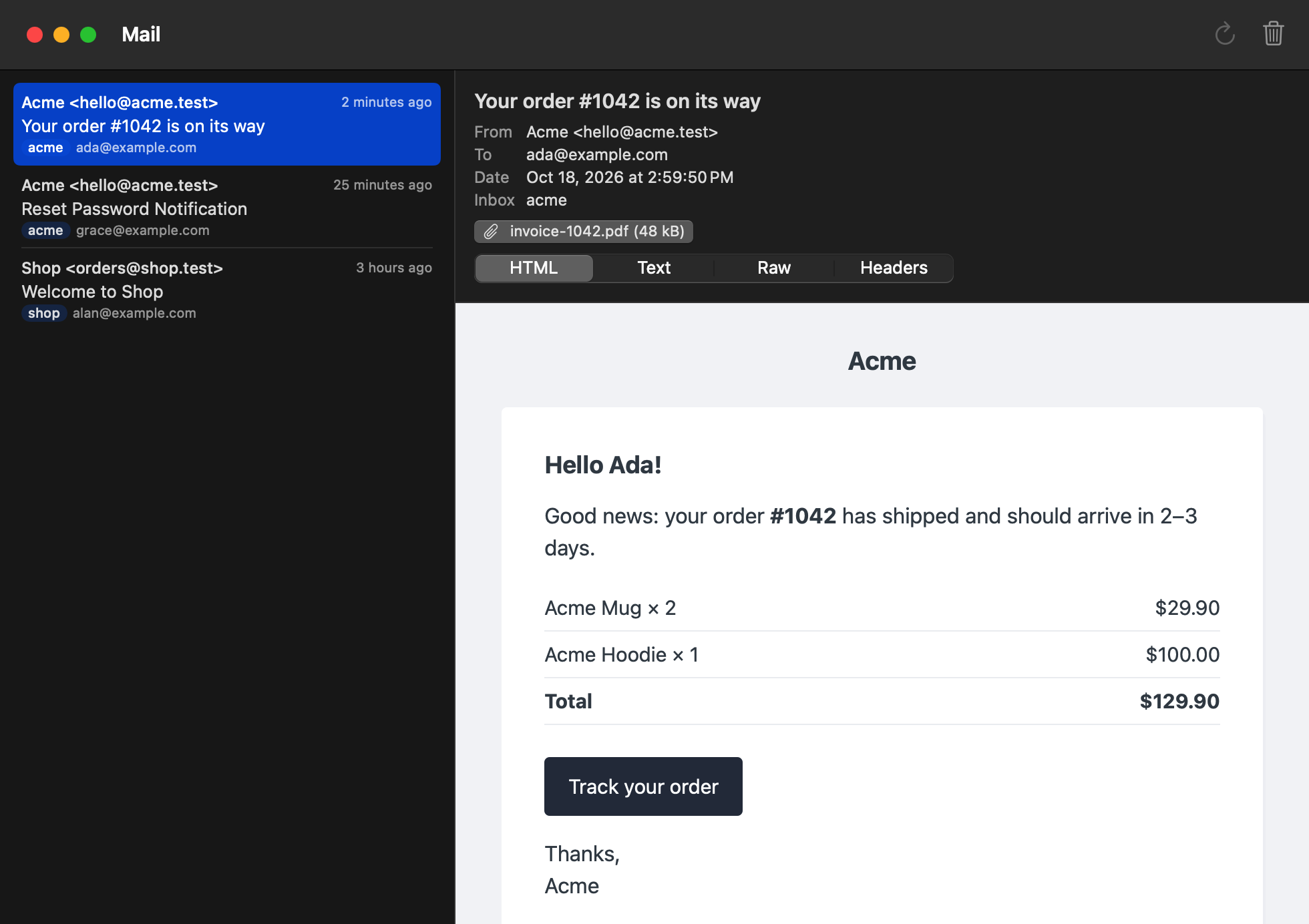
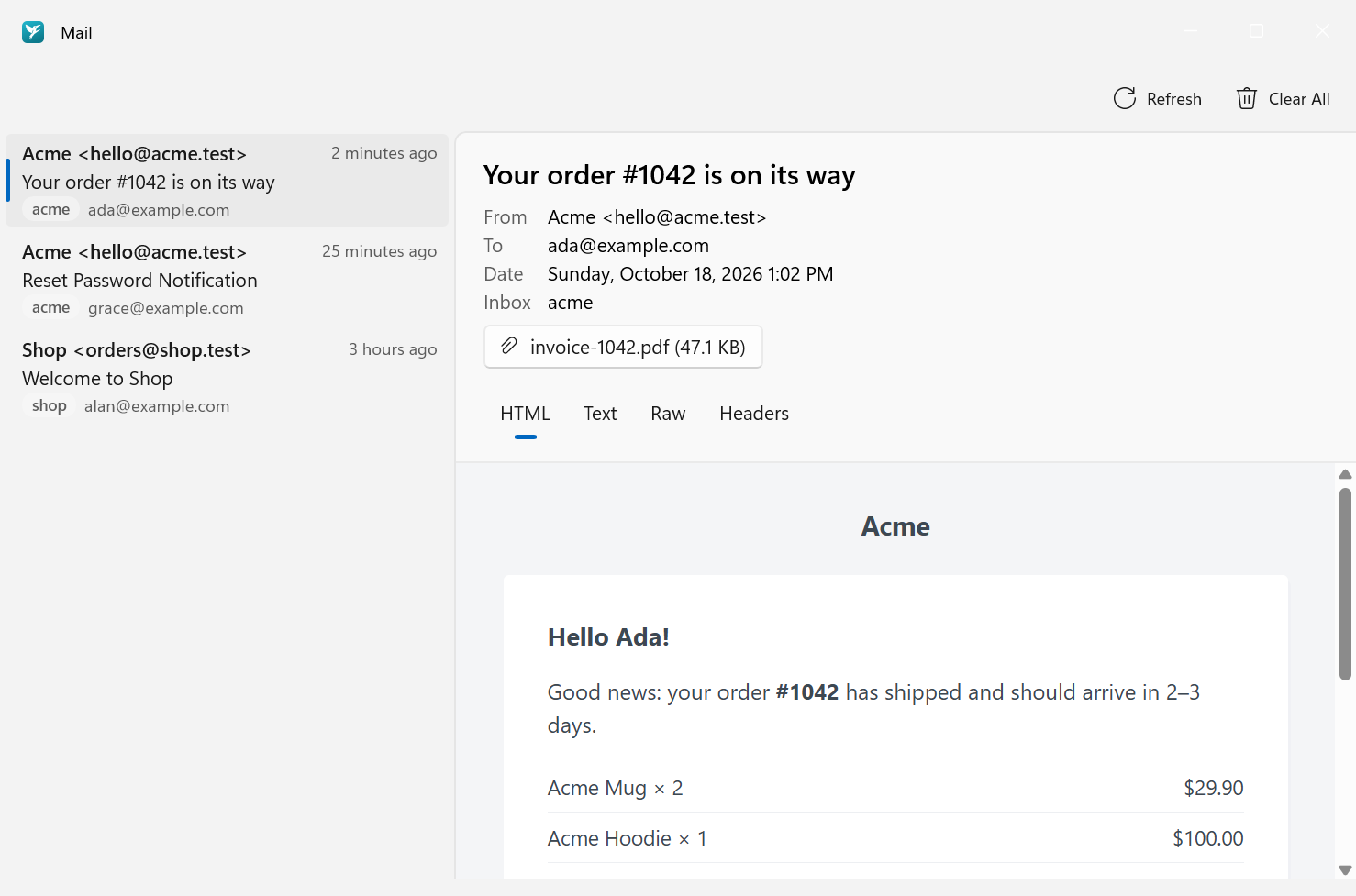
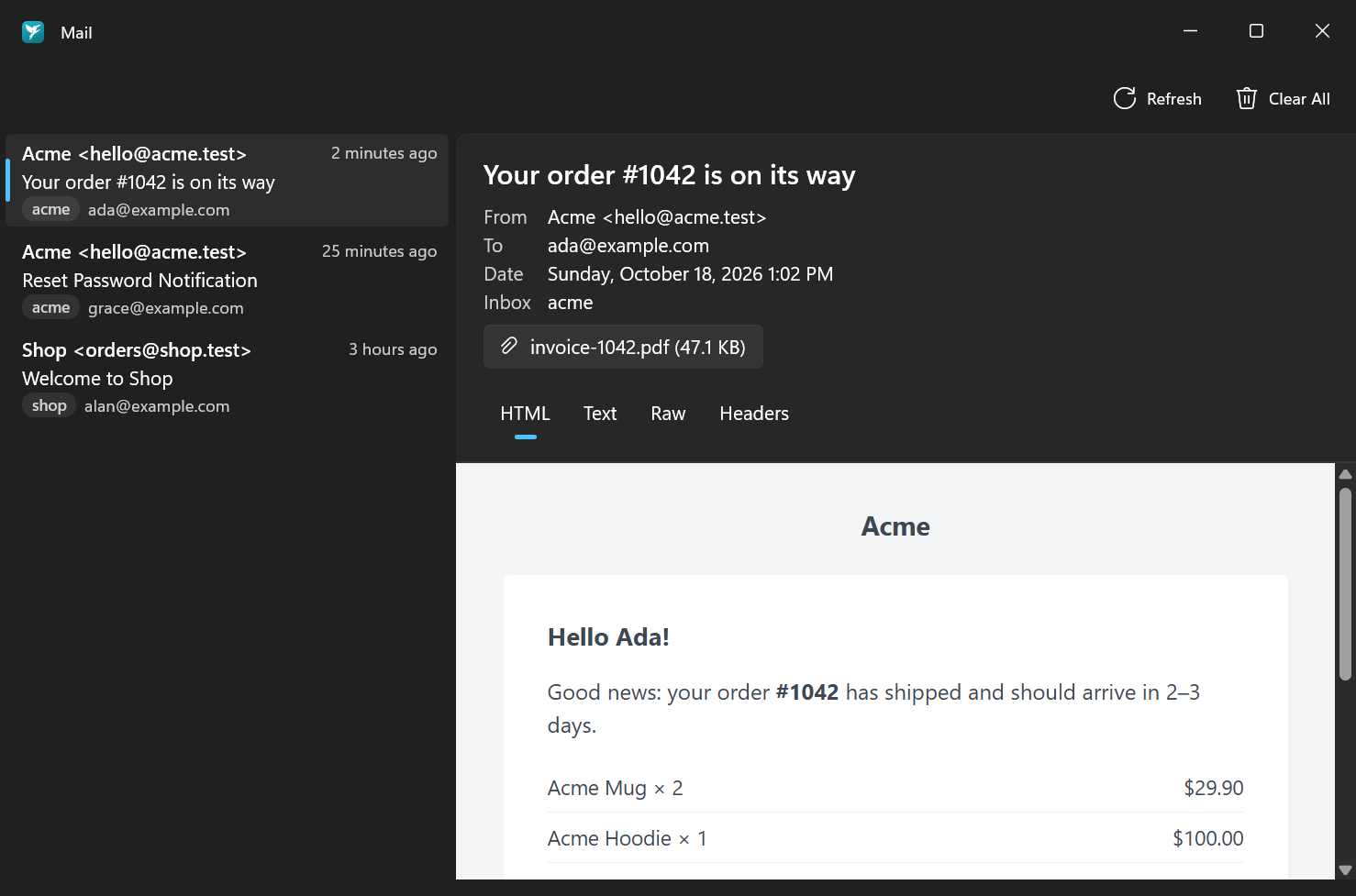
The list shows each message's sender, subject, inbox and time. Select one to see its recipients and attachments, and switch between the HTML, Text, Raw and Headers views. Click Save… on an attachment to keep it.
Clear All deletes every caught message.
flock mail              # list caught emails
flock mail open 12      # open a message in your system's mail app
flock mail clear        # delete all messages
flock mail clear Acme   # empty a single inbox