

Installation
Download the installer for your platform from the download page. Both apps are code-signed, and the macOS app is notarized by Apple, so they open without security warnings.
Windows
Requirements: Windows 10 or 11 (x64) and the Microsoft Visual C++ Redistributable, which PHP needs.
- Run
Flock-Setup-x64.exe. Windows asks for administrator approval once. - Optionally keep Open Flock when I sign in checked.
- The tray app opens and runs the setup.
The setup:
- adds Flock's
binfolder (with thephp,composer,nodeandnpmshims) to your PATH, - registers the Flock Daemon scheduled task, which starts at sign-in without a console window,
- routes
*.testto Flock's DNS server with a name-resolution policy rule, and installs a small helper service that keeps a# BEGIN Flockblock in your hosts file as a fallback, - adds Flock's certificate authority to the Trusted Root store.
macOS
Requirements: macOS 15 Sequoia or newer, on Apple silicon (Intel Macs are not supported).
- Open
Flock.dmgand drag Flock to Applications. - Start Flock. A bird appears in your menu bar and the first-run setup opens.
- Click Set Up Flock and enter your password once, so Flock can add the DNS resolver and trust its certificate authority.
The setup adds the shims to your PATH, registers a launchd agent for the daemon, writes /etc/resolver/test so .test names go to Flock's DNS server, and trusts the certificate authority in the System keychain.
Checking the installation
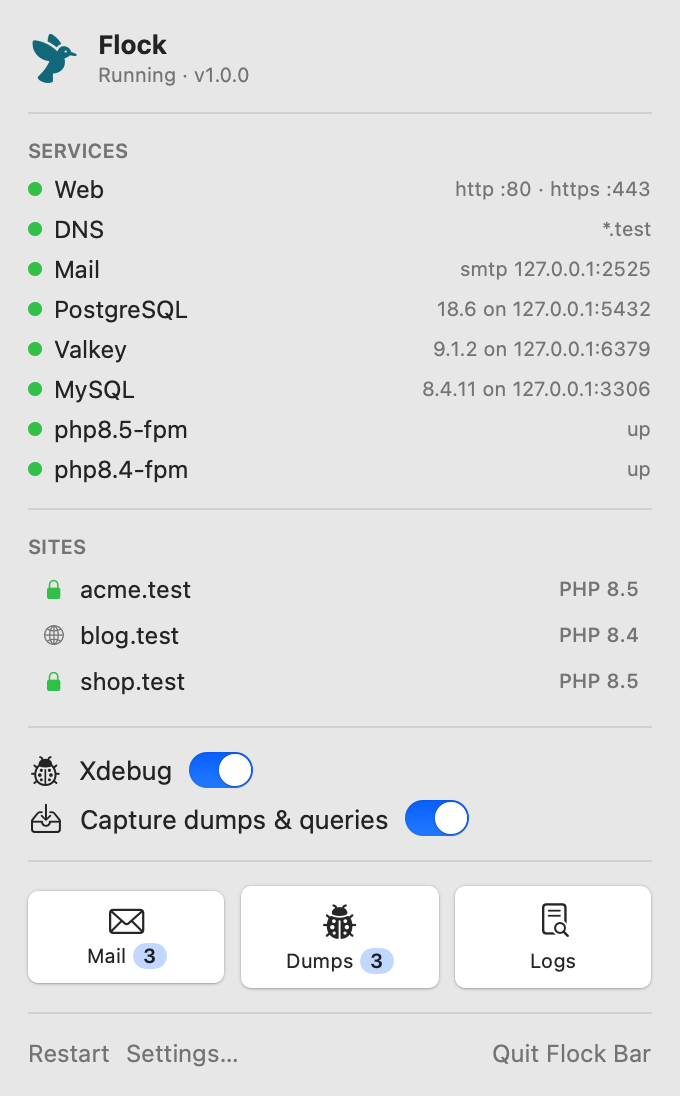
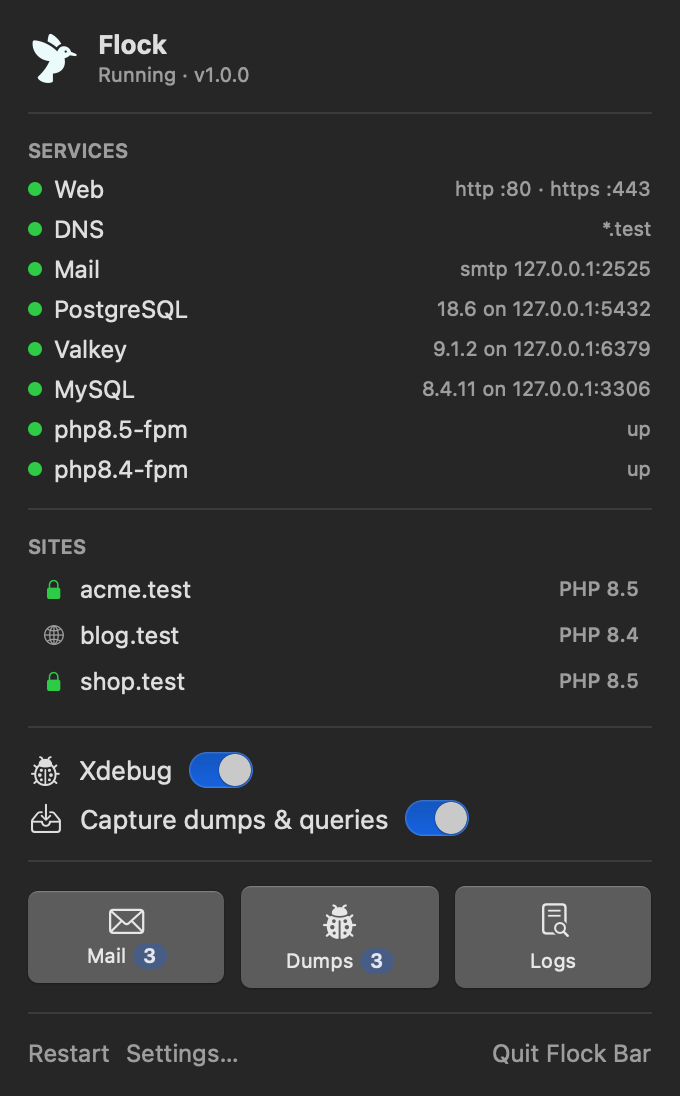
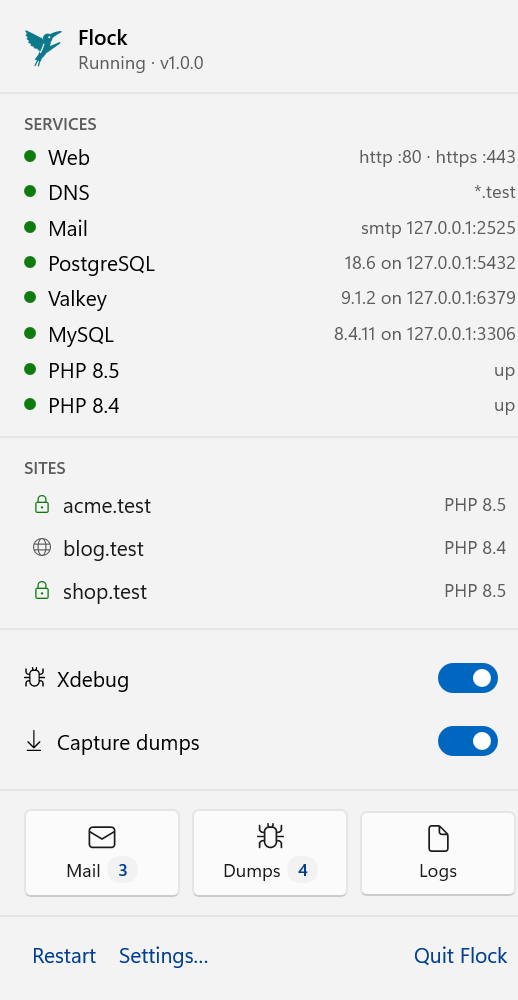
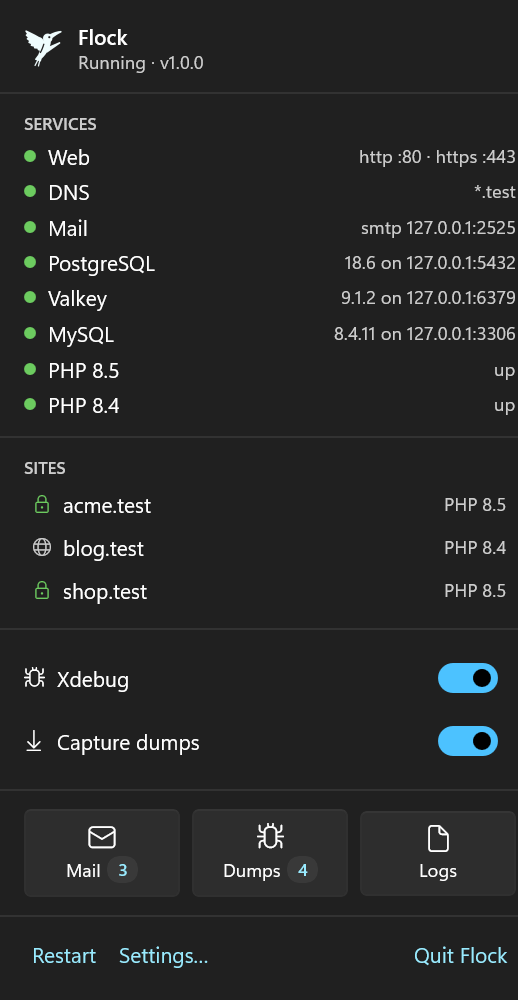
Click the bird in the menu bar (macOS) or the tray icon (Windows). The top of the panel should read Running, followed by the Flock version, and every service listed under Services should have a green dot.
Open a new terminal (so it picks up the new PATH). php -v and node -v should print Flock's versions.
Open a new terminal (so it picks up the new PATH) and run:
flock status
It shows the daemon, web server, DNS and every service, and whether .test names resolve. php -v and node -v should print Flock's versions.
Ports
Flock needs ports 80 and 443 for the web server. If another program uses them, for example another local environment, IIS or Apache, Flock tells you which program it is.
Stop that program, then click Restart at the bottom of the Flock panel.
Stop that program and run flock restart.