

Dumps
Flock can capture the output of dump() and dd() and show it in a separate window, instead of breaking your page layout or JSON response. In Laravel apps it also records what each request, command or job did: the database queries, log messages, rendered views, queued jobs and the response.
Turning it on
You don't need to change your app or install a package: Flock loads a small agent into PHP while capture is on, and takes it out again when you turn it off.
Switch on Capture dumps in the Flock panel (Capture dumps & queries on macOS). The same switch is in Settings → Dumps and in the toolbar of the Dumps window.
flock dumps on
Turn it off again with flock dumps off.
What is captured
| Kind | What you see |
|---|---|
| Dumps | The output of dump() and dd(), expandable just like in the browser |
| Queries | The SQL with its bindings filled in, the connection and how long it took |
| Logs | The level and message of everything written to Laravel's log, with its context |
| Views | Each Blade view that was rendered, with a link to its file |
| Jobs | Queued jobs as they're processed, processed or failed, with their queue, duration and exception |
| Requests | The response's status code and how long the request took |
Dumps work in any PHP app that uses Symfony's VarDumper. The other kinds come from Laravel's events, so they need a Laravel app.
Queries, logs and dumps link to the line in your app that caused them: the first file outside vendor/. Queue workers only report what happens inside their jobs, so each job gets its own entry instead of one endless queue:work run.
Choosing what to capture
Dumps are always captured. Every other kind can be switched off, for example views on a page that renders hundreds of components.
Open the Capture Options menu in the toolbar of the Dumps window (Capture on Windows) and untick the kinds you don't need. On macOS, the same switches are under While capturing in Settings → Dumps.
flock events off view       # stop capturing views
flock events on view        # capture them again
The kinds are query, log, view, job and request.
Dumps in the page too
While capture is on, dump() output goes to Flock only. If you want to see it in the page or terminal as well, turn on Show dump() in the page too. dd() always shows in the page, because it ends the request.
It's in the same Capture Options menu (Capture on Windows). On macOS, it's also under While capturing in Settings → Dumps.
flock dumps page on
flock dumps page off
PHP versions that only capture dumps
Queries, logs, views, jobs and requests need the opentelemetry extension, which Flock's PHP builds include from PHP 8.0 on. A PHP version installed from an older build captures dumps only, and Flock tells you which ones: at the bottom of the Dumps window (in its Capture menu on Windows), and in the output of flock dumps and flock events. Run flock php install <version> to update it.
The Dumps window
The window is a timeline with the newest request at the top. Each request or Artisan command gets a header with its site, method and URL (or command line), and, once it has finished, its status code and duration. Below it, its dumps, queries, logs, views and jobs follow in the order they happened. Click a file and line to open it in your editor.
Flock keeps the last 500 dumps and the last 5,000 other events.
Click Dumps in the Flock panel, or Open Dumps in Settings → Dumps. On Windows, it's also in the tray icon's right-click menu.
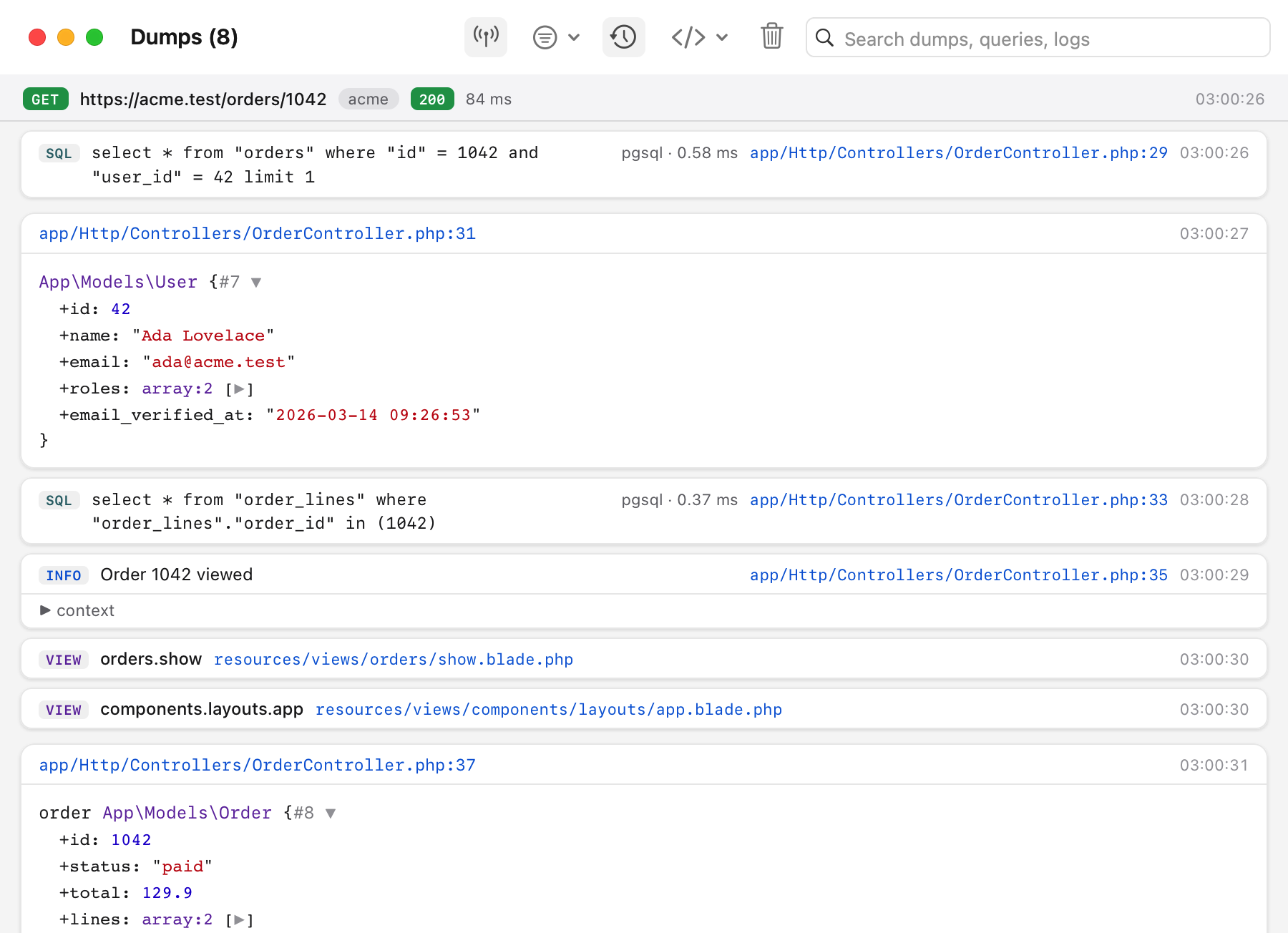
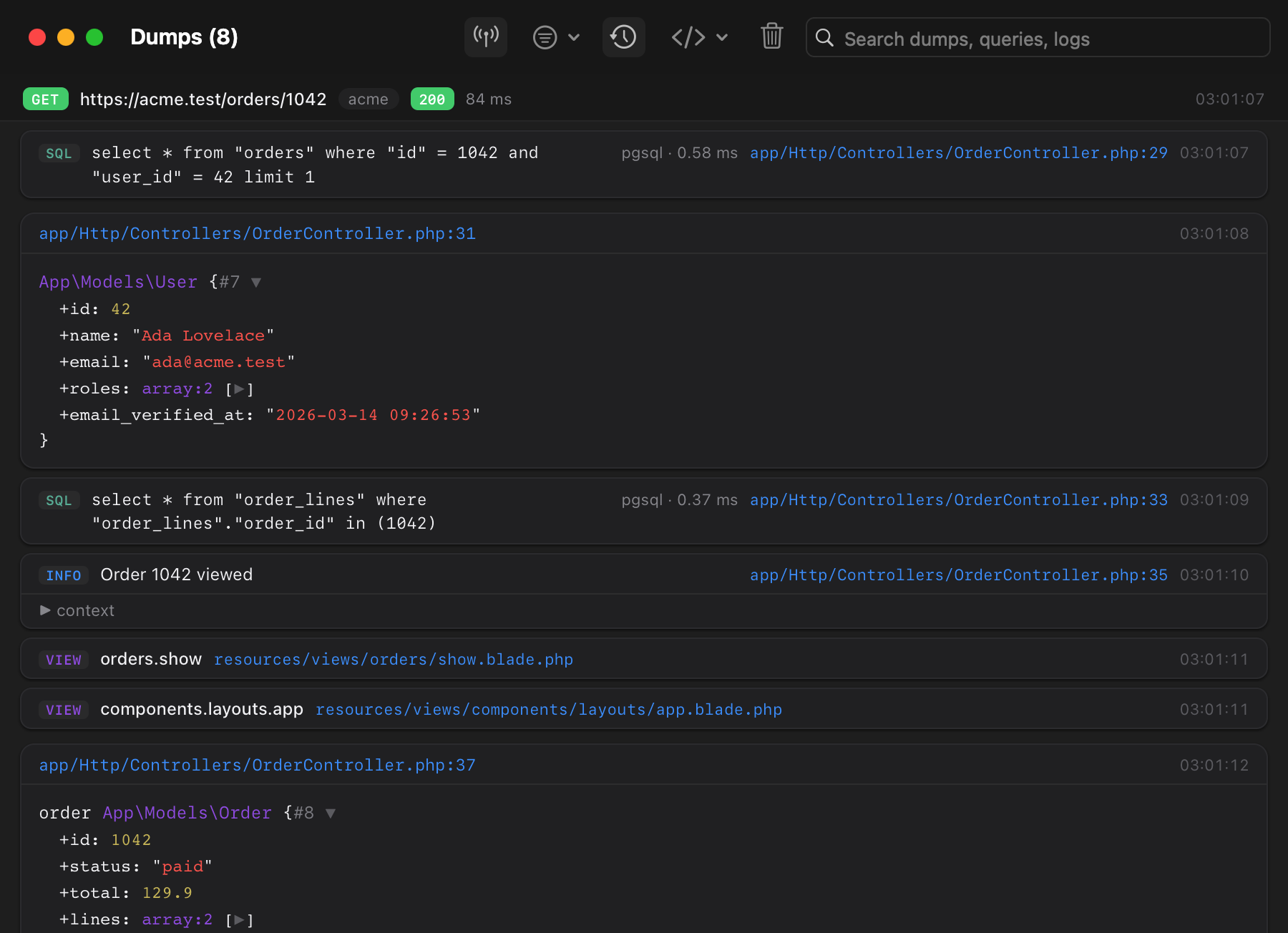
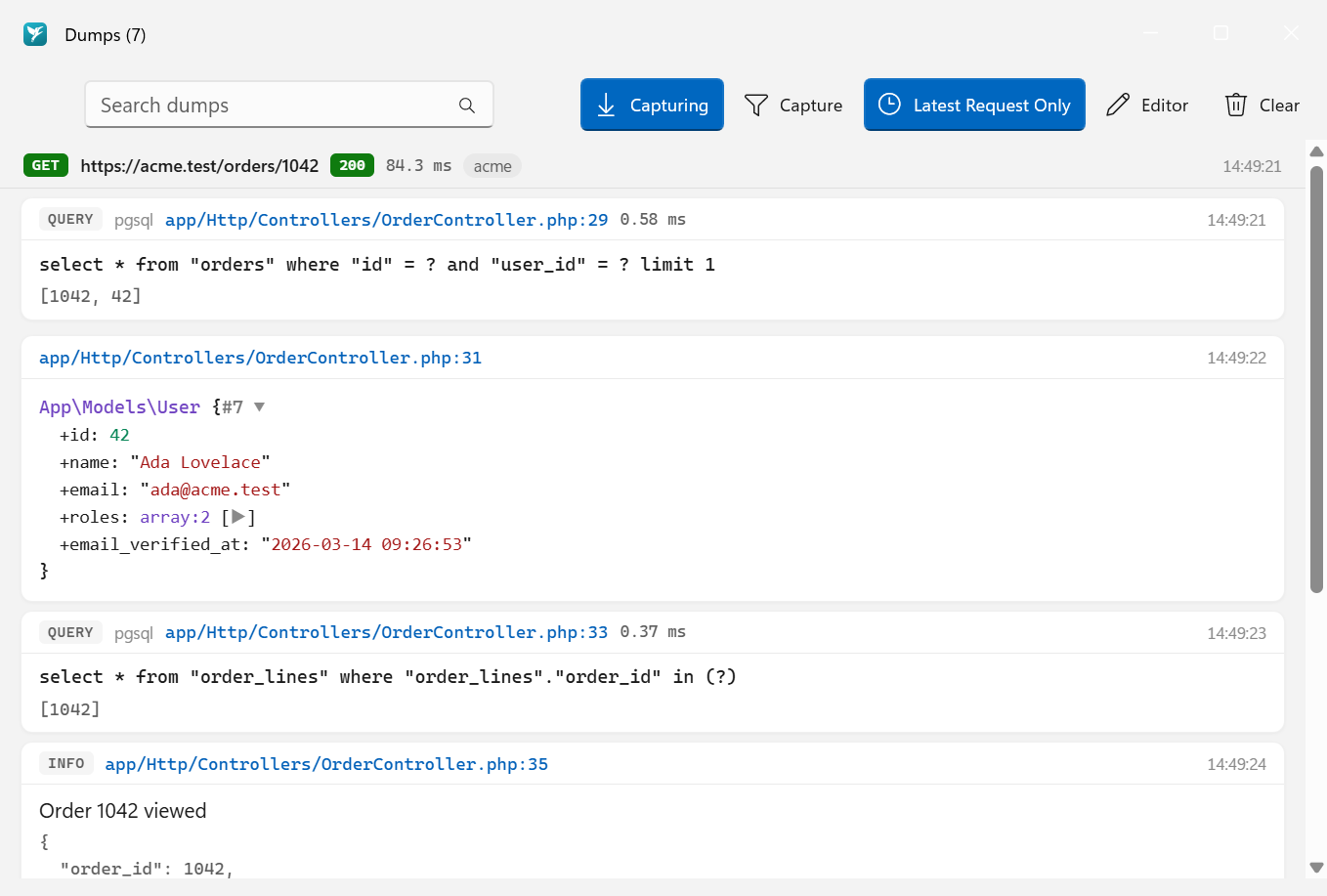
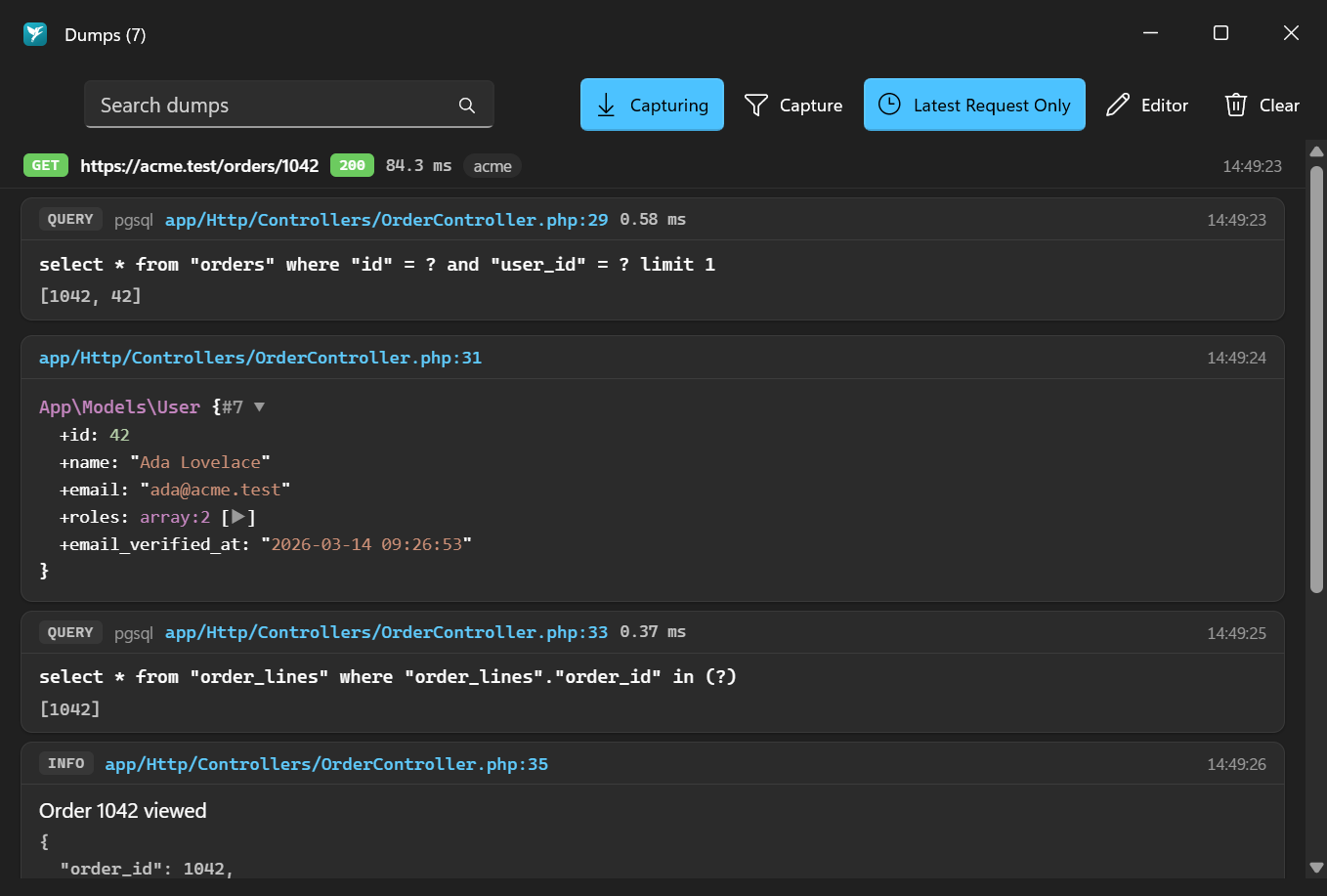
Use the search field to filter everything captured, and Latest Request Only to hide everything but the last request. Choose which editor source links open in (PhpStorm, VS Code, Cursor or Zed) from the Editor menu, or under Settings → Dumps. Clear removes all dumps and events.
Run flock dumps without arguments to list captured dumps in the terminal, and flock events for everything else, grouped by request or command:
flock events                # the latest 50 events
flock events query log      # only queries and log messages
flock events -n 200         # more of them
Clear them with:
flock dumps clear           # dumps and events
flock events clear          # events only
The Dumps window itself is part of the app.
AI agents
With Flock's MCP server, your AI agent can read the same timeline: get_dumps returns the dumps and get_events the queries, logs, views, jobs and requests. That's handy for questions like "why is this page slow?" or "why does this job fail?", for example to spot N+1 queries.